
How to Do an SEO Audit of Your Website: A Beginner’s Guide

Your website may look professional and contain useful information, but is it easy for people to find through Google?
Search engine optimization (SEO) helps search engines discover, understand, and present your website to people searching for relevant information. However, technical issues, poorly structured content, broken links, or indexing problems can make it harder for your website to perform well in search results.
This is where an SEO audit becomes useful. Learning how to do an SEO audit helps you identify problems that may affect your website’s search visibility, usability, and overall performance.
An SEO audit is a systematic review of your website to identify issues that may affect its search visibility, usability, and overall performance. You do not need to be an advanced SEO professional to understand how to do an SEO audit. With the right tools and a structured approach, beginners and small business owners can identify important areas for improvement.
I’m Dylan Shane Cecil, a digital marketing strategist focusing on SEO and online growth. My goal is to help businesses understand how digital marketing can improve their online visibility. As a professional targeting businesses in Calicut, I believe that understanding website performance is an important step toward building a stronger online presence. If you’re looking for a Best Digital Marketing Strategist in Calicut, exploring the fundamentals of SEO is a useful place to start.
In this guide, you’ll learn how to audit your website step by step using practical methods and accessible tools.
What Is an SEO Audit?
An SEO audit is the process of examining different elements of a website to understand how well it supports search engine visibility and user experience.
A basic SEO audit typically covers:
- Technical SEO and crawlability
- Search engine indexing
- Website speed and mobile usability
- On-page SEO
- Content quality and keyword relevance
- Internal and external links
- Backlink quality
- Local SEO, when relevant to the business
The purpose is not simply to achieve a perfect score in an SEO tool. It is to identify meaningful problems, prioritize improvements, and make your website more useful to visitors.
Why Is an SEO Audit Important?
Websites change over time. New pages are published, old content becomes outdated, plugins are installed, and links can stop working. These changes may introduce problems that are easy to overlook.
Regular SEO audits help you:
Identify indexing problems: Important pages may not appear in Google if they are blocked, excluded, or affected by technical errors.
Improve user experience: Slow pages, confusing navigation, and poor mobile usability can frustrate visitors.
Strengthen on-page SEO: Clear titles, descriptive headings, and relevant content help search engines and readers understand each page.
Discover content opportunities: You may find pages that need updating, better explanations, or more relevant internal links.
Make informed decisions: Instead of changing your website randomly, you can focus on improvements supported by evidence.
An SEO audit does not guarantee higher rankings. Its value lies in identifying and resolving issues that may be preventing your website from performing effectively.
Step 1: Check Whether Your Website Is Indexed
Before reviewing individual SEO elements, learning how to do an SEO audit starts with checking whether Google can discover and index your important pages.
Indexing means that Google has processed a page and may include it in its search results.
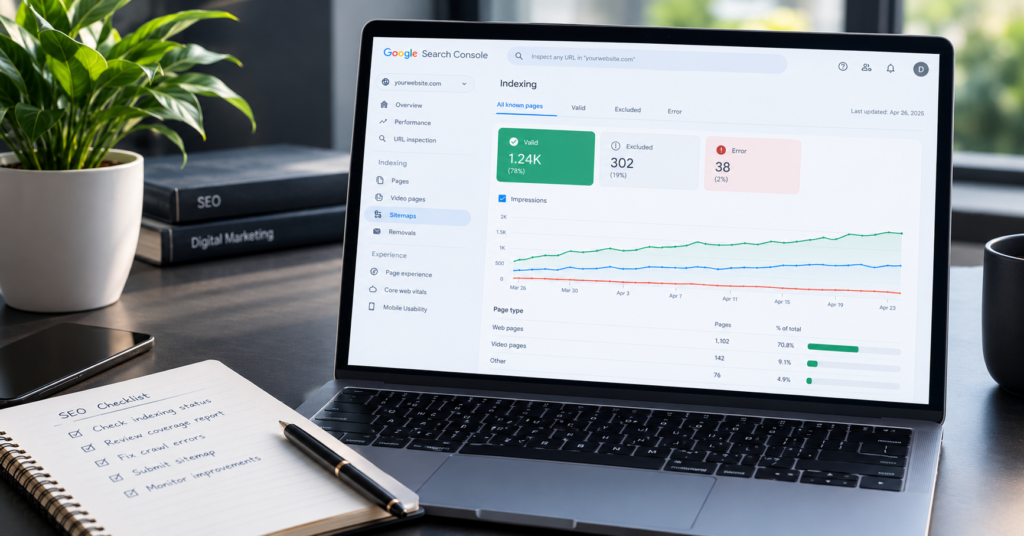
Start by opening Google Search Console, a free tool that helps website owners monitor their site’s presence in Google Search.
If you have not set it up, verify ownership of your website and submit your XML sitemap if one is available.
Next, open the URL Inspection tool and enter the address of an important page, such as your homepage or a service page.
Review the reported indexing status and follow any available details about crawling or indexing problems.
You can also search Google using site:yourdomain.com as a quick, approximate check of indexed pages. However, this search is not a complete or definitive indexing report.
As part of understanding how to do an SEO audit, if an important page is not indexed, investigate the reason before requesting indexing. Check for accidental noindex directives, incorrect canonical URLs, crawl restrictions, and whether the page provides useful, accessible content.
Use Google Search Console to monitor your website’s indexing status and search performance.
Step 2: Review Your Website’s Technical SEO
Technical SEO helps search engines access and understand your website.
You do not need to inspect every technical detail immediately. Begin with the issues most likely to affect important pages.
Check the following:
- HTTPS: Make sure your website uses a secure HTTPS connection.
- Broken links: Find internal links that lead to missing pages or errors.
- Redirects: Ensure outdated URLs redirect to the most relevant current destinations when necessary.
- XML sitemap: Confirm that your sitemap is accessible and contains the appropriate canonical URLs.
- Robots.txt: Check that important pages and resources are not unintentionally blocked from crawling.
- Canonical URLs: Review whether duplicate or similar pages identify the correct preferred URL.
For a WordPress website, your SEO plugin may generate the XML sitemap and provide controls for titles, indexing settings, and canonical URLs. Avoid changing technical settings unless you understand their purpose.
A technical audit should help you resolve real issues rather than encourage unnecessary changes.
Step 3: Evaluate Website Speed and Mobile Usability
Visitors expect websites to be easy to use on both desktop and mobile devices. Performance can influence user experience, and Google uses page experience signals as part of its broader ranking systems.
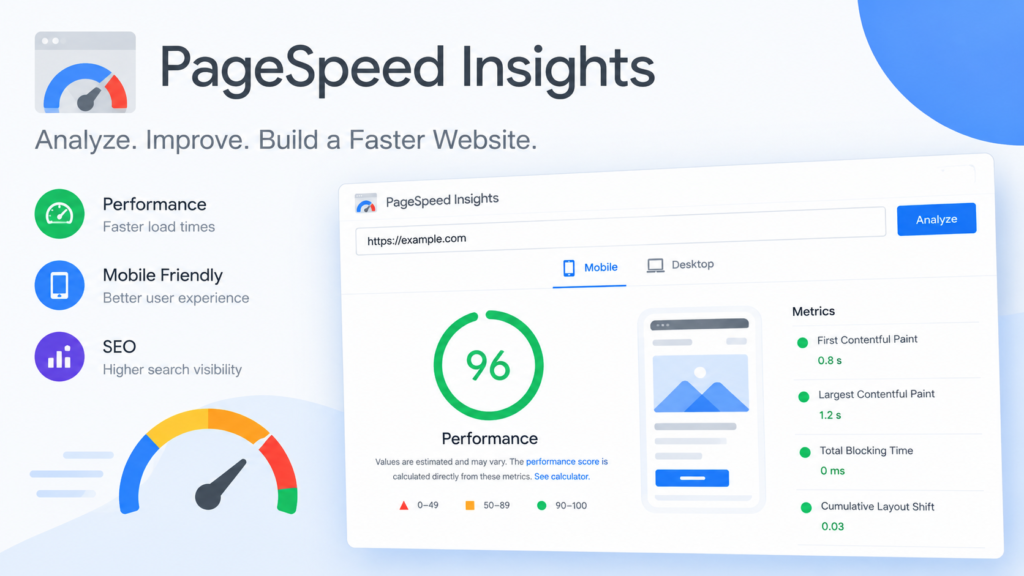
Use Google PageSpeed Insights to examine important pages.
Pay attention to Core Web Vitals:
- Largest Contentful Paint (LCP): Measures how quickly the main content becomes visible. A good target is 2.5 seconds or less.
- Interaction to Next Paint (INP): Measures responsiveness to user interactions. A good target is 200 milliseconds or less.
- Cumulative Layout Shift (CLS): Measures unexpected visual movement. A good target is 0.1 or less.
These targets are assessed at the 75th percentile of real-user experiences when sufficient field data is available.
Also, open your website on a phone. Check whether text is readable, buttons are easy to tap, menus work correctly, and visitors can find your contact information without difficulty.
For WordPress sites, large images, unnecessary plugins, heavy themes, and excessive scripts can contribute to performance problems. Identify the actual cause before installing additional optimization plugins.
Test your website’s loading speed and performance using Google PageSpeed Insights
Step 4: Audit Your On-Page SEO
On-page SEO involves improving the content and page elements that help users and search engines understand what each page offers.
Review your most important pages individually.
Check Your Page Titles
Each page should have a clear, descriptive title that accurately reflects its content.
For example, a page offering SEO services could use a title such as:
“SEO Services for Small Businesses | Your Business Name”
Avoid repeating the same keywords unnaturally or creating misleading titles just to attract clicks.
Review Your Headings
Use a clear heading structure to organize information. Your main page title is generally the H1, while H2 headings introduce major sections and H3 headings divide relevant subsections.
Headings should help readers navigate the content rather than serve as containers for repeated keywords.
Improve Your Meta Descriptions
A meta description summarizes what a page offers. Google may use it to generate the search-result snippet, although it can choose different text from the page.
Write a concise, accurate description that encourages the right audience to visit.
Check Your Images
Use relevant image filenames and descriptive alternative text when images convey meaningful information. Alt text should explain the image’s purpose or content, not repeat keywords unnecessarily.
Finally, make sure each page has a clear purpose and answers the questions visitors are likely to have.
Step 5: Review Your Content Quality
Publishing more articles does not automatically improve SEO. Content needs to be helpful, accurate, relevant, and written for people.
Review your existing blog posts and service pages. Ask yourself:
- Does the content answer the reader’s main question?
- Is the information accurate and up to date?
- Does the page offer useful details beyond generic advice?
- Is the content easy to understand?
- Does the page overlap unnecessarily with another page on your website?
- Is there a clear next step for the reader?
Update outdated information, clarify confusing explanations, and remove unnecessary repetition.
If several pages target the same search intent, consider whether they serve different purposes or whether one stronger page would serve readers better.
Do not delete content simply because it receives little traffic. First investigate its purpose, backlinks, existing search visibility, and potential value.
Step 6: Improve Your Internal Linking
Internal links connect one page of your website to another. When learning how to do an SEO audit, reviewing internal links helps you identify opportunities to improve website navigation and content structure.
They help visitors discover related information and help search engines understand the relationships between pages.
For example, a blog post explaining keyword research could link to another article about on-page SEO. A relevant educational article might also link to your SEO services page when readers would benefit from professional assistance.
Use descriptive anchor text that tells readers what to expect after clicking.
Avoid generic links such as “click here” when a more informative phrase would fit naturally.
Also, check for important pages that have no internal links pointing to them. These are sometimes called orphan pages and may be harder for visitors and search engines to discover.
As part of understanding how to do an SEO audit, review your internal links and ensure each one serves a useful purpose rather than adding links simply to increase their number.
Step 7: Examine Your Backlink Profile
Backlinks are links from other websites to yours. They can help people discover your content and may contribute to how search engines evaluate your website.
Use Google Search Console’s Links report or an SEO tool to review known links pointing to your site.
Look for links from relevant websites, genuine editorial mentions, professional profiles, and useful industry resources.
Focus on earning links by publishing valuable content, contributing expert insights, and building relationships with relevant businesses and publishers.
Avoid buying large quantities of links intended to manipulate rankings, using automated link schemes, or placing irrelevant links across unrelated websites.
You do not need to disavow every unfamiliar backlink. Google’s systems can often ignore many low-quality links automatically. Investigate potential problems before taking action.
Remember that a link from a relevant, reputable website can be more useful than a large collection of unrelated links.
Step 8: Check Your Local SEO
If you serve customers in a particular city or region, local SEO can help people discover your business when searching for relevant services. Learning how to do an SEO audit helps you identify opportunities to improve your local search visibility.
Start by ensuring that your website clearly communicates the locations you genuinely serve.
Review your contact details, service descriptions, and location-related content for accuracy. If you are eligible for a Google Business Profile, keep its business information complete and consistent with your real-world operations.
You can also seek legitimate mentions from local business associations, relevant directories, professional communities, and collaborators. As part of understanding how to do an SEO audit, review these local SEO factors to identify areas for improvement.
Avoid creating misleading location pages or claiming a physical business address where you do not genuinely operate.
For freelancers and small businesses, useful local content and accurate business information are better foundations than repeating a city name throughout every paragraph.
Step 9: Create an SEO Audit Action Plan
An audit is only useful if you act on its findings.
Create a simple spreadsheet to record each issue, the affected URL, its importance, and the next action.
Prioritize your findings into three groups:
High priority: Important pages that cannot be indexed, broken pages receiving meaningful traffic, or serious technical problems.
Medium priority: Missing or unclear titles, weak internal linking, mobile usability issues, and content that needs substantial improvement.
Lower priority: Minor formatting improvements, optional content enhancements, and changes that are unlikely to have a meaningful effect.
Resolve high-impact problems first. Then review performance over time using Google Search Console, PageSpeed Insights, and relevant analytics tools.
Avoid making many unrelated changes at once if you want to understand which improvements may have contributed to a change in performance.
Frequently Asked Questions
How Often Should I Perform an SEO Audit?
A small website can benefit from a basic review every few months, with additional checks after major redesigns, migrations, or significant changes. Technical monitoring can be more frequent.
Can I Perform an SEO Audit for Free?
Yes. Google Search Console, PageSpeed Insights, and manual website checks provide a useful starting point without requiring a paid SEO subscription.
Does an SEO Audit Guarantee Higher Google Rankings?
No. An audit identifies potential problems and opportunities, but rankings depend on many factors, including relevance, competition, content quality, and Google’s systems.
Do I Need an SEO Expert to Audit My Website?
You can perform many basic checks yourself. However, complicated indexing problems, website migrations, large technical issues, or persistent performance challenges may require professional support.
Conclusion
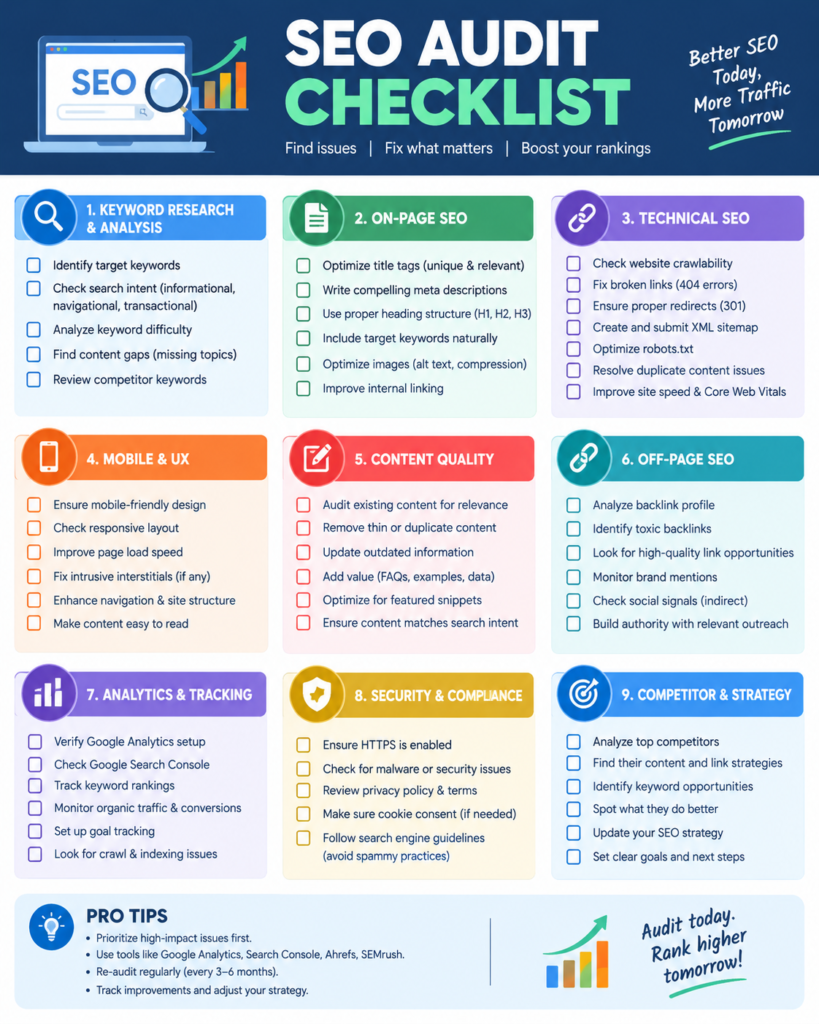
An SEO audit helps you understand what is working on your website and what needs attention. Learning how to do an SEO audit helps you check indexing, technical SEO, website speed, content quality, internal links, backlinks, and local relevance so you can develop a practical plan for improvement.
Start with your most important pages, use reliable tools, and prioritize issues based on their likely impact. Understanding how to do an SEO audit allows you to identify and fix important issues step by step. You do not need to fix everything in a single day.
Consistent improvements, useful content, and a positive user experience provide a stronger foundation for long-term SEO than shortcuts or keyword stuffing.
If you are a small business owner or professional looking to improve your online visibility, reviewing your website regularly is a practical first step toward making your website more useful to both visitors and search engines.
Now that you know how to do an SEO audit, review your website regularly to identify technical SEO problems, improve content quality, fix broken links, and monitor your search performance.
About the Author
Dylan Shane Cecil is a digital marketing strategist in Calicut who shares practical insights on SEO, content marketing, and online business growth. Explore his website for more digital marketing resources and services.